User Invitation
How to invite a user to an organization to unlock his/her LEG.TJ plattform access.
Navigate to Stakeholders
Section titled “Navigate to Stakeholders”https://app.leg.tj/stakeholders
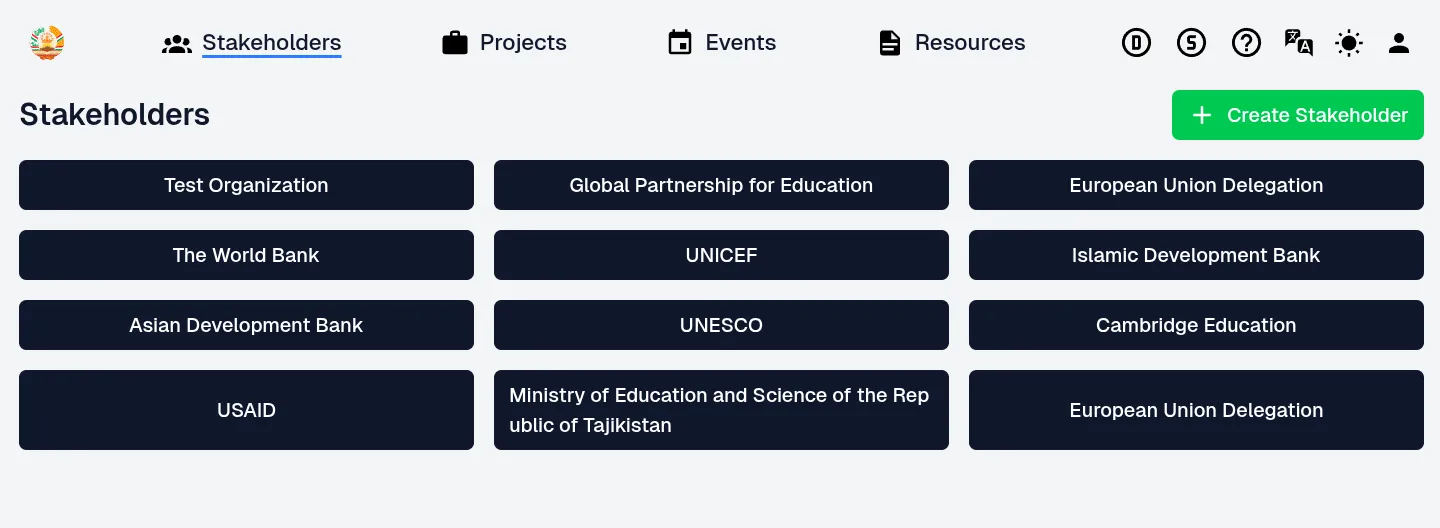
Choose and click on the selected organization the future user should be part of.
Stakeholder
Section titled “Stakeholder”I choose “Text Organization” as an example.
https://app.leg.tj/stakeholders/test-organization
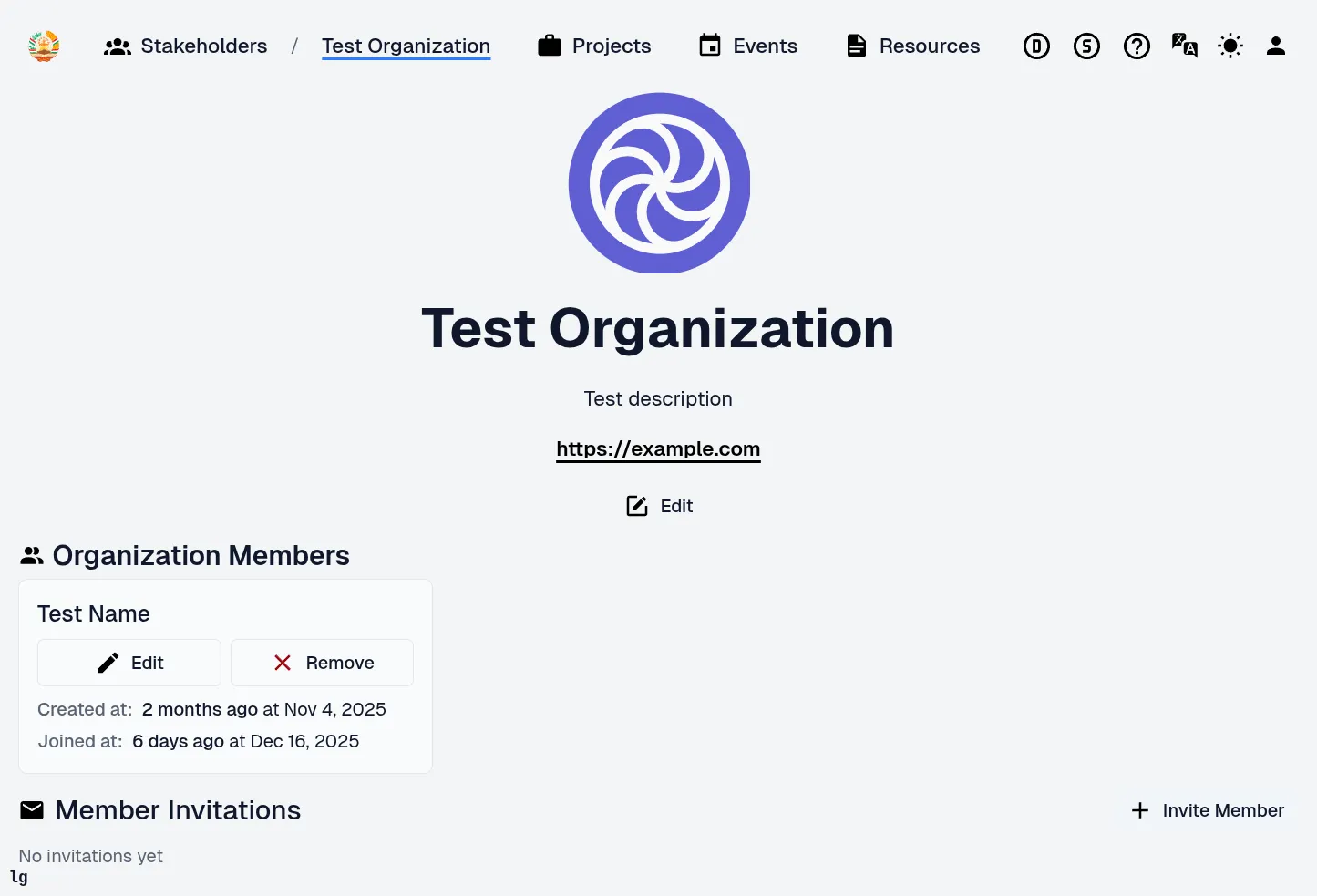
On this page we see all members of said organizations and open invitations.
To add a user to this organization I click the “Invite Member” button in the bottom right.
Invite Member
Section titled “Invite Member”https://app.dcc.com/stakeholders/test-organization/invitations/add
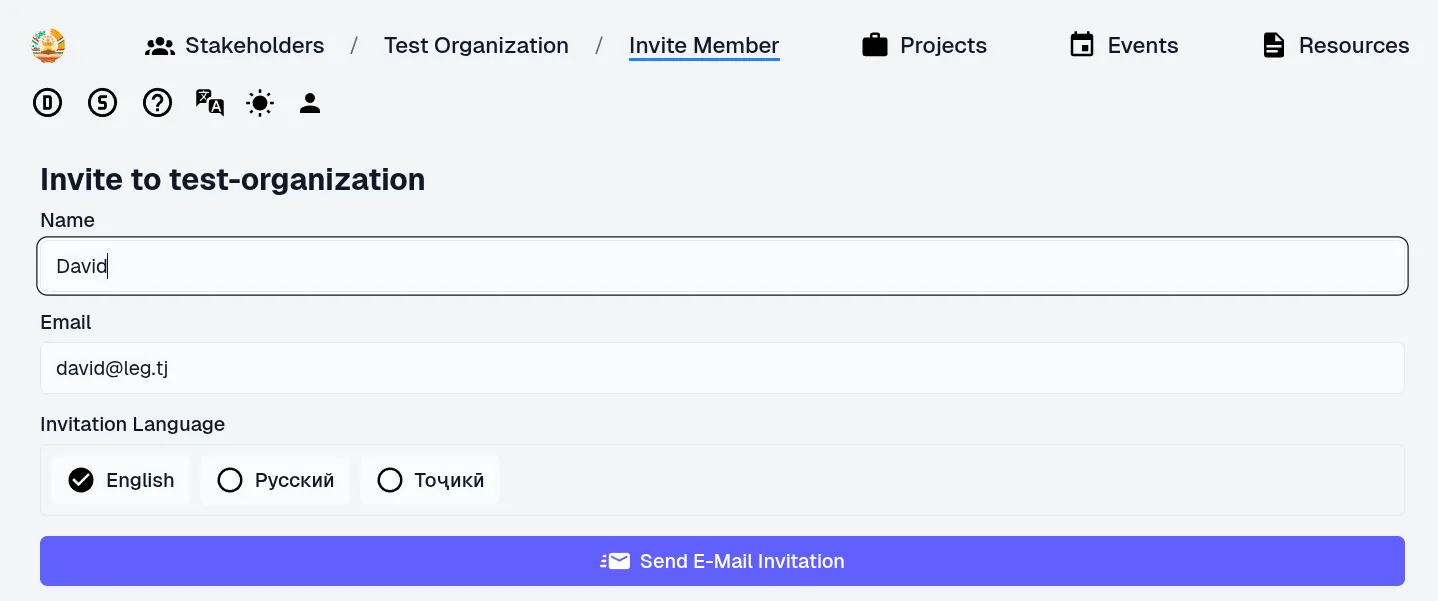
Fill out form data and click “Send E-Mail Invitation”
Invitation Send
Section titled “Invitation Send”Clicking “Send E-Mail Invitation” send out the email and I get redirected to the Stakeholder invitation overview page, where I now can see my invitation.
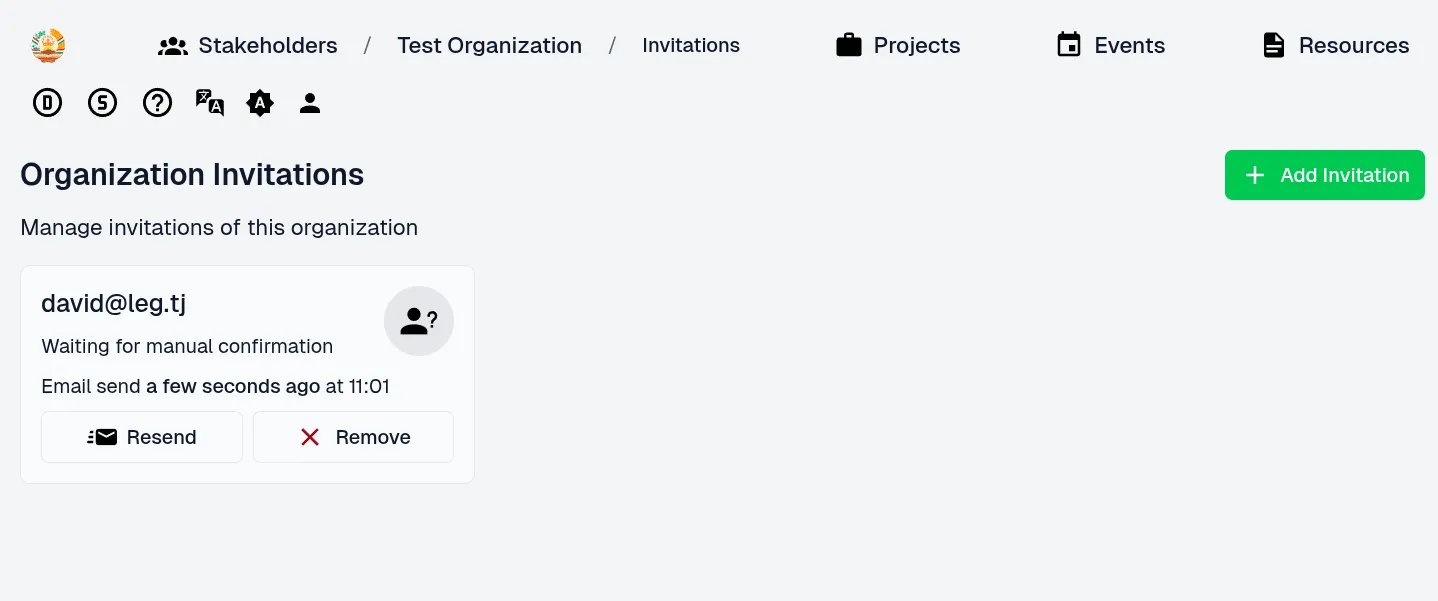
I have the options to “Resend” the email and to remove/withdraw the invitation.
Invitation Email
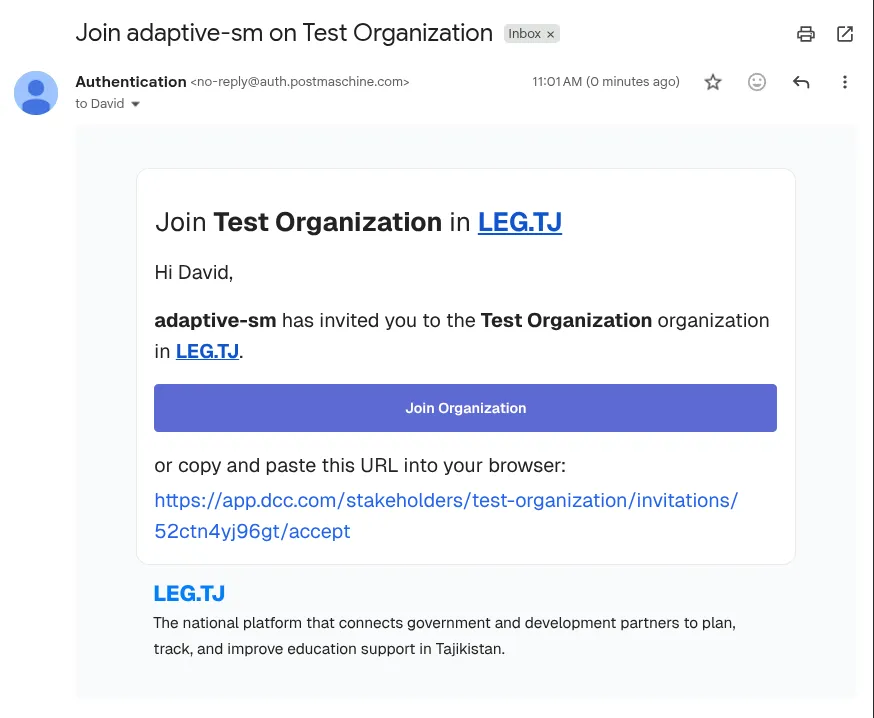
Section titled “Invitation Email”The invitation email looks like this
Invitation Link
Section titled “Invitation Link”As the invited user I can visit the link and accept the invitation.
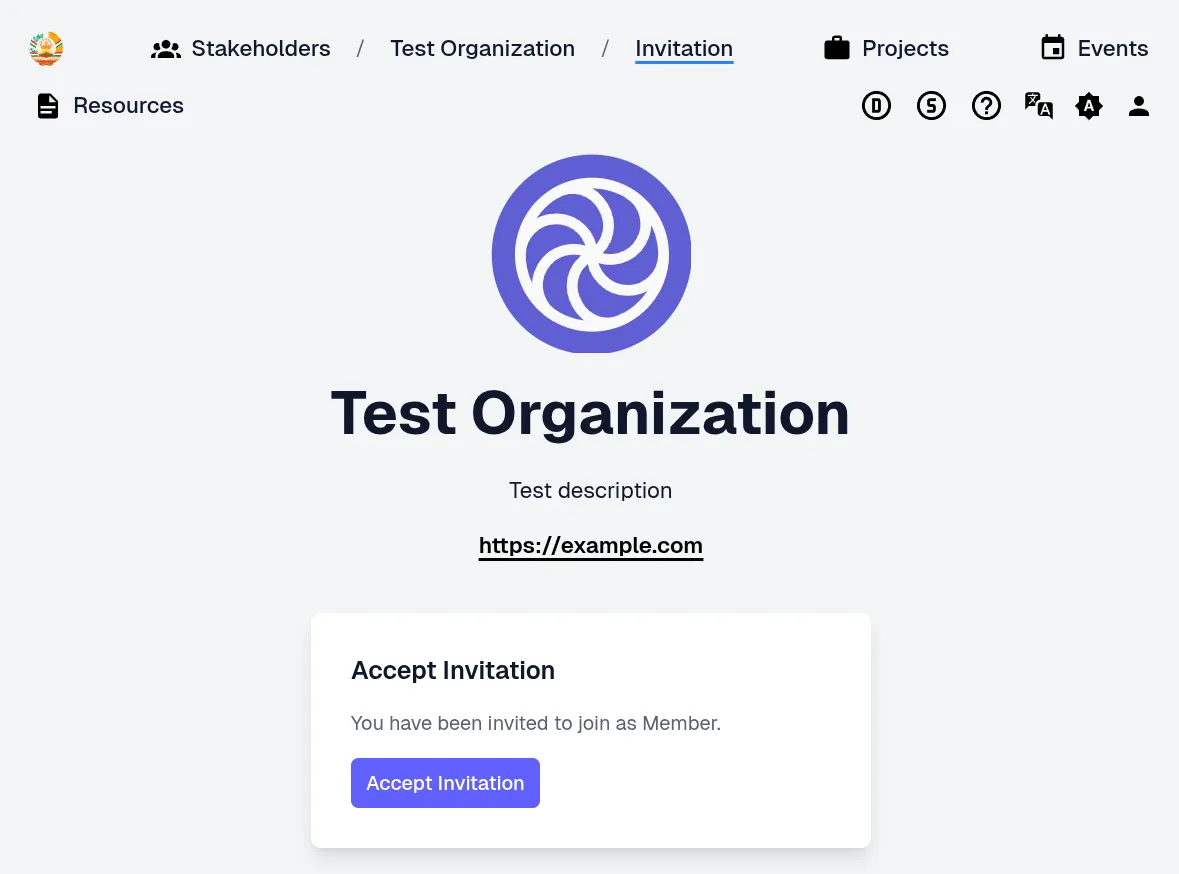
After I accept the invitation I get my access unlocked and get redirected to the Overview page.